


07. HUD Part 01

In the next blog post, I will be discussing the part of the game's user interface specifically the tutorial and the pop-up text notifications that provide feedback to the player regarding their ability to interact with certain in-game elements that have already been integrated into the game. Many of the UI elements in the game are influenced by the game Dark Souls.
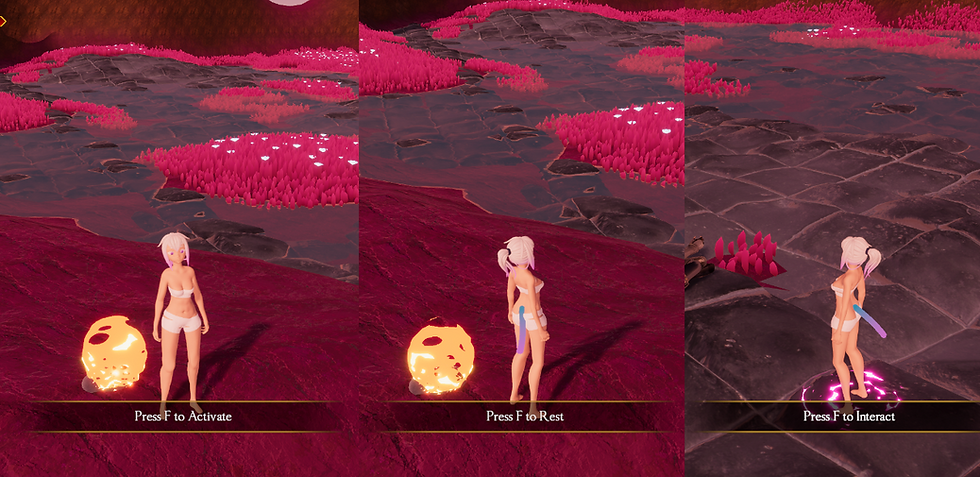
The first feature is a pop-up text that appears when the player is near a fire, which serves as a temporary checkpoint. The text indicates whether the player can activate the checkpoint or reset their character's stats by resting. The second feature is a symbol on the ground that, when stepped on, opens a new window displaying a message, such as a tutorial.
I attempted to maintain a similar aesthetic for the UI elements, which are heavily influenced by the UI elements from the game Dark Souls. Unfortunately, originality may not be one of my strongest suits.

The next UI element that the player will encounter is a notification that appears when the player changes areas or respawns at a checkpoint. This notification serves as a clear indication to the player of when they have entered or exited a specific area. This feature is intended to help the player keep track of their progress and location within the game.

The next UI element that will be shown is the notification that appears when the player obtains a new stance shard. This notification displays the name of the newly acquired stance, as well as its corresponding icon, providing a clear and visual representation of the stance that has been acquired. This element is designed to inform the player of their progress in obtaining new stances and abilities within the game.

Video:
Thanks for reading!
-Bence (Oliminor)


Comments