


03. Prefab Spawner (Editor script)

As a programmer, my responsibilities include not only creating features for the game, but also tools for non-programmers. When working with Unity, there are many tools available in the Asset Store, but sometimes you need tools that are simpler or more unique to the game in development. In this project, I focused on learning the basics of Editor scripts, as the tool, I implemented already exists in the Asset Store (in multiple versions) but helps to figure out how to approach editor scripts.

How does it work?
(Edit from 2023: Do not use this method at least go for GPU instancing.)
Editor scripts are built on top of an existing Monobehaviour script. Instead of using a separate inspector window, the script is placed on an existing game object and functions as an editor tool. The main functions and features are written inside the Monobehaviour script, and the additional CustomEditor script runs in editor mode, providing additional inspector functions for customization (such as buttons, sliders, and icon images). This is one solution, another alternative is the use of EditorWindows, which does not require placement on a game object.

As previously mentioned, this editor script utilizes two separate scripts and is also reflected in the inspector menu. The top portion of the script contains Monobehaviour elements, where I can add prefabs that I want to use, different parent object transforms to prevent flooding the root of the scene with thousands of objects, and chunk size, as the foliage combines prefabs and stores them in chunks.
The rest of the script is the editor side, which includes two buttons: "Combine prefabs," which combines separate foliage meshes into one singular mesh (or multiple meshes, as it is chunk-based), and "Delete prefabs," which deletes all non-combined foliage objects. After that, I can set the spawned object rotation based on the ground normal or use the default vector.up mode (the second boolean is for lazy programming, and can be ignored). The "Density" field is misleading, as it does not refer to the density of the spawned prefab but rather the number of prefabs spawned in every frame. The actual density is determined by the "Space between objects" field, which sets the distance between foliage objects. The "Grass Height" field controls the scale of the Y axis, while the "Non-grass scale" field controls the scale of the X and Z axis.
This editor script, while not perfect, is useful for this project and I have some ideas on how to improve it. However, it has provided me with valuable experience in working with editor scripts, which I can apply in the future when working with other developers. For instance, I could add more functionalities to the script, such as the ability to add more prefabs, have more control over the rotation and scaling of the objects, or have a better randomization system, to mention a few. Additionally, I could also optimize the script, to make it more efficient and faster. Overall, while this editor script may not be perfect, it has served its purpose and has provided me with valuable learning experiences that I can use in future projects
And a video to demonstrate:
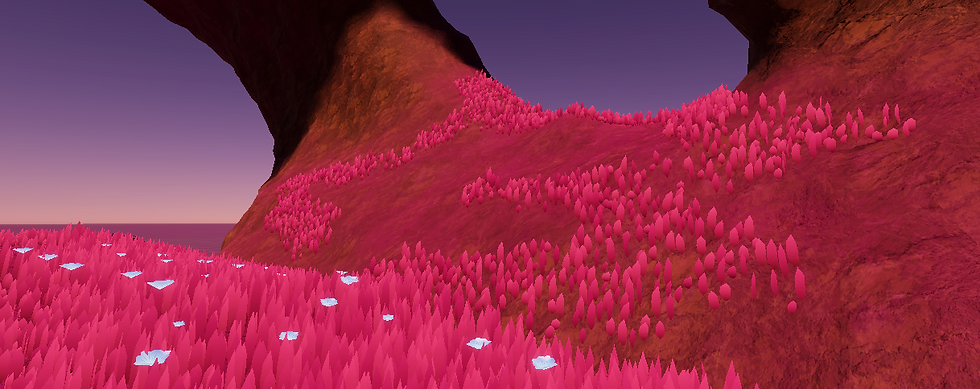
And some screenshots from the projects only use 2 different foliage:


Thank you for reading!
- Bence (Oliminor)


Comments